

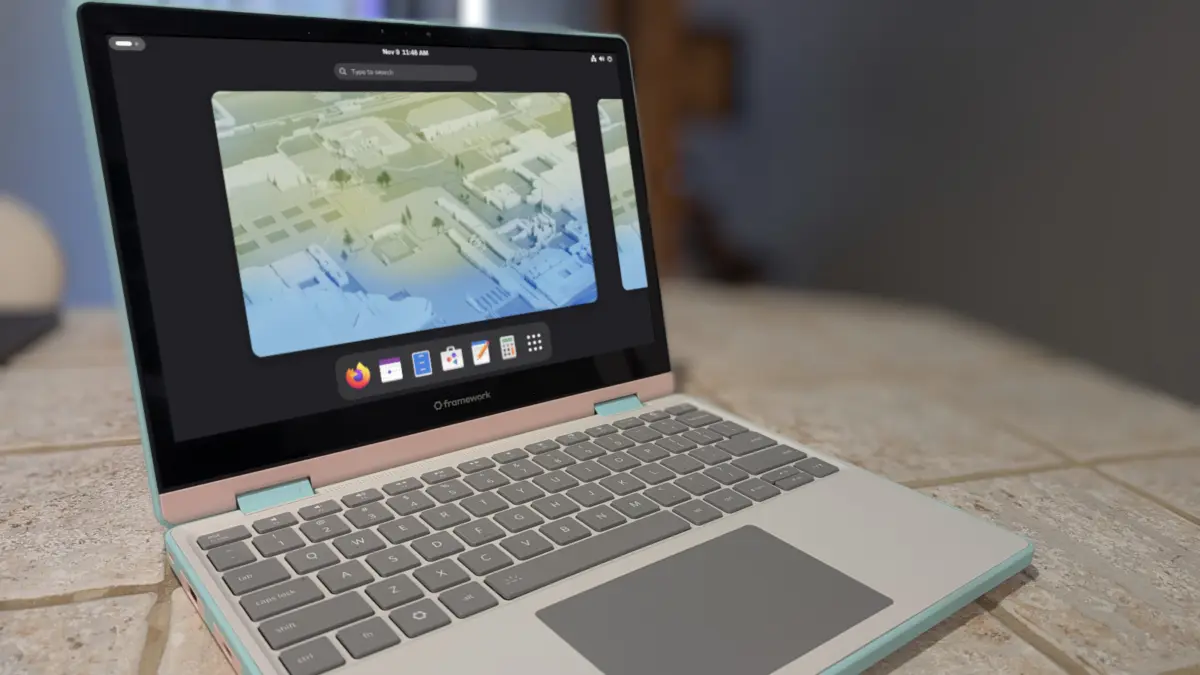
The Linux desktop landscape has undergone a significant transformation over the last decade, evolving from a fragmented ecosystem of enthusiast-driven projects into a sophisticated array of operating systems capable of competing with proprietary giants. For many users, the journey into Linux begins with Ubuntu or one of its many derivatives, such as Linux Mint or Pop!_OS. However, as users gain proficiency, a common phenomenon known as "distro-hopping" often leads them to seek new environments that offer different balances of software freshness and system stability. Industry analysis and user patterns suggest that for those transitioning away from the Debian-based architecture of Ubuntu, the Fedora Project represents the most logical and productive progression.
The Evolution of Fedora: From Bleeding Edge to Polished Workstation
Historically, Fedora was often viewed as the "bleeding edge" testing ground for Red Hat Enterprise Linux (RHEL). In its early years, following the 2003 split of Red Hat Linux into a commercial product and a community-driven project, Fedora had a reputation for being difficult to configure and prone to instability. It was a distribution for developers and sysadmins who didn’t mind troubleshooting broken dependencies or manual driver installations.
However, the last five years have seen a radical shift in the Fedora Project’s philosophy and execution. Today, Fedora Workstation is recognized for its "just works" philosophy, rivaling Ubuntu’s ease of use. This evolution is characterized by a seamless first-boot experience, comprehensive out-of-the-box hardware support, and a refined user interface. The distribution now supports modern boot processes, provides integrated Nvidia driver support through its software center, and manages power states—such as suspend and resume—with a level of reliability previously reserved for macOS or Windows.
Technical Parity and the Command Line Transition
One of the primary hurdles for users moving between Linux families is the package management system. Users coming from Debian or Ubuntu are typically well-versed in the Advanced Package Tool (APT). A common misconception is that moving to a Fedora-based system, which utilizes the DNF (Dandified YUM) package manager, requires a complete re-learning of command-line operations.
In practice, the syntax between APT and DNF is remarkably similar, allowing for a nearly seamless transition for power users. For instance, the command sudo apt install [package] translates directly to sudo dnf install [package]. The logic remains consistent across searching, updating, and removing software.
A critical distinction, however, lies in how the two systems handle system-level upgrades. While Debian-based systems often allow for significant updates without a restart (unless the kernel is involved), Fedora encourages a "stay current" approach. Fedora’s DNF system often triggers offline updates during a reboot to ensure that system libraries are not in use during the transition, a method that mirrors the reliability found in enterprise-grade deployments.
The Rise of Universal Package Formats: Flatpak vs. Snap
The debate over universal package managers is a defining characteristic of the current Linux era. Ubuntu has doubled down on its proprietary Snap format, developed by Canonical. Snaps are designed to work across any distribution, but they have faced criticism for slow launch times and their closed-source backend.
Fedora, conversely, has championed Flatpak. Like Snaps, Flatpaks are sandboxed applications that include all necessary dependencies, but they are widely seen as the community-standard universal format. Fedora integrates Flatpak (and the Flathub repository) directly into its "Software" GUI.
For the transitioning user, the experience remains familiar. Where an Ubuntu user might run sudo snap install [app], a Fedora user runs flatpak install [app]. Notably, Flatpaks are often installed on a per-user basis, eliminating the need for sudo (root) privileges for application management, which enhances security by maintaining strict sandboxing boundaries.
Comparative Analysis of Release Cycles and Support
The decision to migrate often hinges on the desired frequency of updates. The Linux ecosystem generally follows two paths: Long-Term Support (LTS) and Interim/Point releases.
- The Debian/Ubuntu Model: Debian stable releases occur roughly every two years, with long-term support extending up to five years. Ubuntu follows a similar cadence for its LTS versions, while offering interim releases every six months that are supported for only nine months.
- The Fedora Model: Fedora operates on a predictable six-month release cycle. Each version is supported for approximately 13 months (specifically, until one month after the release of the version two cycles ahead).
This 13-month window provides a "buffer" that allows users to skip a version if they choose, while ensuring they are never more than a year behind the latest technological advancements in the Linux kernel or desktop environments. For developers and hardware enthusiasts, this ensures access to the latest drivers and compilers without the inherent risks of a "rolling release" distribution like Arch Linux.

Security Architecture: SELinux and AppArmor
Security remains a cornerstone of the Fedora value proposition. While Ubuntu utilizes AppArmor to restrict programs’ capabilities, Fedora implements Security-Enhanced Linux (SELinux). Originally developed by the United States National Security Agency (NSA), SELinux provides a robust framework for Mandatory Access Controls (MAC).
While SELinux was once notorious for being overly restrictive and difficult to manage, modern Fedora iterations have tuned the default policies to be transparent to the average user. Most users will never interact with the SELinux command-line tools, yet they benefit from a system where every process and file is labeled with specific permissions, significantly mitigating the impact of potential zero-day exploits.
Furthermore, Fedora’s firewall management is often cited as more granular than Ubuntu’s UFW (Uncomplicated Firewall). While it carries a slightly steeper learning curve for manual configuration, the default "Workstation" zone provides an optimal balance of security and connectivity for the modern remote worker.
Desktop Diversity through Fedora Spins
One of the strongest arguments for Fedora as the successor to an Ubuntu-based workflow is the "Spins" ecosystem. While Ubuntu has "Flavors" (Kubuntu, Xubuntu, etc.), Fedora’s Spins are official variations that provide alternative desktop environments with the same rigorous testing as the main GNOME-based Workstation release.
The Fedora Project currently offers dedicated spins for:
- KDE Plasma: Often considered the most powerful and customizable desktop.
- Xfce and LXQt: Targeted at older hardware or users seeking high performance.
- Cinnamon and MATE-Compiz: Providing a traditional desktop metaphor familiar to Windows migrants.
- Specialized Environments: Including tiling window managers like Sway and i3, as well as emerging desktops like Budgie and the Rust-based COSMIC.
This variety ensures that a user migrating from, for example, Linux Mint (Cinnamon) can move to Fedora Cinnamon and maintain their established workflow while gaining the benefits of Fedora’s more modern underlying architecture.
Industry Implications and the Broader Ecosystem
The shift toward Fedora is not merely a matter of personal preference but reflects broader trends in the enterprise technology sector. Fedora serves as the upstream source for Red Hat Enterprise Linux (RHEL), the world’s leading commercial Linux platform. Consequently, proficiency in Fedora translates directly into professional skills relevant to cloud computing, server management, and DevOps.
Data from the 2023 Stack Overflow Developer Survey indicates that while Ubuntu remains the most popular distribution for professional use, Fedora and its derivatives are seeing increased adoption among systems programmers and those working in AI/ML environments. This is largely due to Fedora’s commitment to shipping the latest stable versions of the Linux kernel, Python, GCC, and other essential development tools.
Furthermore, Fedora has been a pioneer in adopting industry-standard technologies before they become mainstream. It was one of the first major distributions to default to the Wayland display protocol and the PipeWire audio server. By the time these technologies reach the more conservative Debian/Ubuntu LTS releases, they have been refined and polished within the Fedora ecosystem.
Conclusion: A Seamless Path Forward
For the Linux user who has outgrown the predictable but sometimes stagnant nature of Debian-based distributions, Fedora offers a compelling middle ground. It provides a platform that is contemporary without being experimental, and user-friendly without being restrictive.
The transition is facilitated by the convergence of user interface design and package management logic. Whether through the GUI-driven "Software" centers or the increasingly similar command-line structures of DNF and Flatpak, the "leap" from Ubuntu to Fedora is no longer a jump into the unknown. Instead, it is a lateral move into a more modern, secure, and technologically advanced environment that prepares users for the future of the Linux desktop. As the Fedora Project continues to bridge the gap between "bleeding edge" and "daily driver," it solidifies its position as the premier destination for the evolving Linux enthusiast.
