

The evolution of the modern workspace has transitioned from fixed, bulky desktop setups to highly customizable, ergonomic environments designed to maximize both productivity and physical well-being. As remote and hybrid work models become permanent fixtures of the global economy, the demand for specialized office hardware has surged. Central to this transformation is the monitor arm—a tool that moves beyond simple aesthetics to address critical ergonomic needs and desk management challenges. Recent testing of various models, ranging from budget-friendly Amazon offerings to high-end professional mounts, reveals a complex market where branding often masks identical hardware, and weight capacity remains the ultimate arbiter of quality.
The Ergonomic Necessity and Market Context
The primary driver for adopting a monitor arm is the mitigation of musculoskeletal disorders (MSDs). According to health data from the Occupational Safety and Health Administration (OSHA), poor workstation ergonomics contribute significantly to neck strain, shoulder tension, and repetitive stress injuries. A standard monitor stand often forces the user into a fixed position that may not align with their eye level, leading to "tech neck"—a condition caused by prolonged forward head posture.
Monitor arms provide the "ergonomic flexibility" required to position a screen at the exact height and angle necessary to maintain a neutral spine. Furthermore, as the consumer electronics market shifts toward larger, heavier displays—such as 42-inch OLED panels and 49-inch ultrawide monitors—the physical footprint of original equipment manufacturer (OEM) stands has become increasingly intrusive. By reclaiming desk real estate, monitor arms allow for a cleaner, more organized workspace, which psychological studies suggest can improve focus and reduce cognitive load.
Chronology of Monitor Mounting Standards
To understand the current state of monitor arms, one must look at the timeline of the VESA (Video Electronics Standards Association) mounting interface. Established in the late 1990s, the VESA standard revolutionized how displays were manufactured.

- Late 1990s: The Flat Display Mounting Interface (FDMI) was introduced, creating the 75 x 75 mm and 100 x 100 mm hole patterns that remain the industry standard today.
- 2000s–2010s: As LCD and LED technology replaced CRTs, monitors became lighter, allowing for the first generation of articulated arms.
- 2020–Present: The "Home Office Revolution" sparked by the COVID-19 pandemic led to a massive influx of third-party mounting solutions. This period saw the rise of gas-spring technology and heavy-duty mounts capable of supporting 40+ pound displays.
Performance Analysis: Heavy-Duty and Large-Format Solutions
For users employing oversized displays, the Wali Heavy-Duty Monitor Arm has emerged as a high-performance, cost-effective solution. At approximately $75, it addresses a specific gap in the market: the need to support screens that exceed the typical 27-to-32-inch limit. Testing conducted with the KTC G42P5—a 42-inch display—showed that the Wali arm maintained stability for over a year without the "droop" commonly associated with lower-tension springs. This reliability is crucial for users of the LG C4 or Samsung Odyssey OLED G9, where the sheer weight and center of gravity of the device can overwhelm standard mounts.
Conversely, the Mount-It! Heavy Duty Dual Monitor Arm, positioned at a premium price point of $322, offers a robust solution for multi-screen ultrawide setups. Capable of supporting screens between 15 and 34 inches (up to 20 pounds per arm), it integrates cable management and VESA-compliant brackets. The higher cost reflects the industrial-grade materials required to ensure that dual-screen configurations remain aligned over years of use.
The Mid-Range Market and the Reality of "White Labeling"
A significant finding in the assessment of mid-range options, such as the $129 Branch Monitor Arm, is the prevalence of shared manufacturing components. Industry analysis reveals that many brands utilize identical parts from original design manufacturers (ODMs), adding only minor aesthetic flourishes or branding.
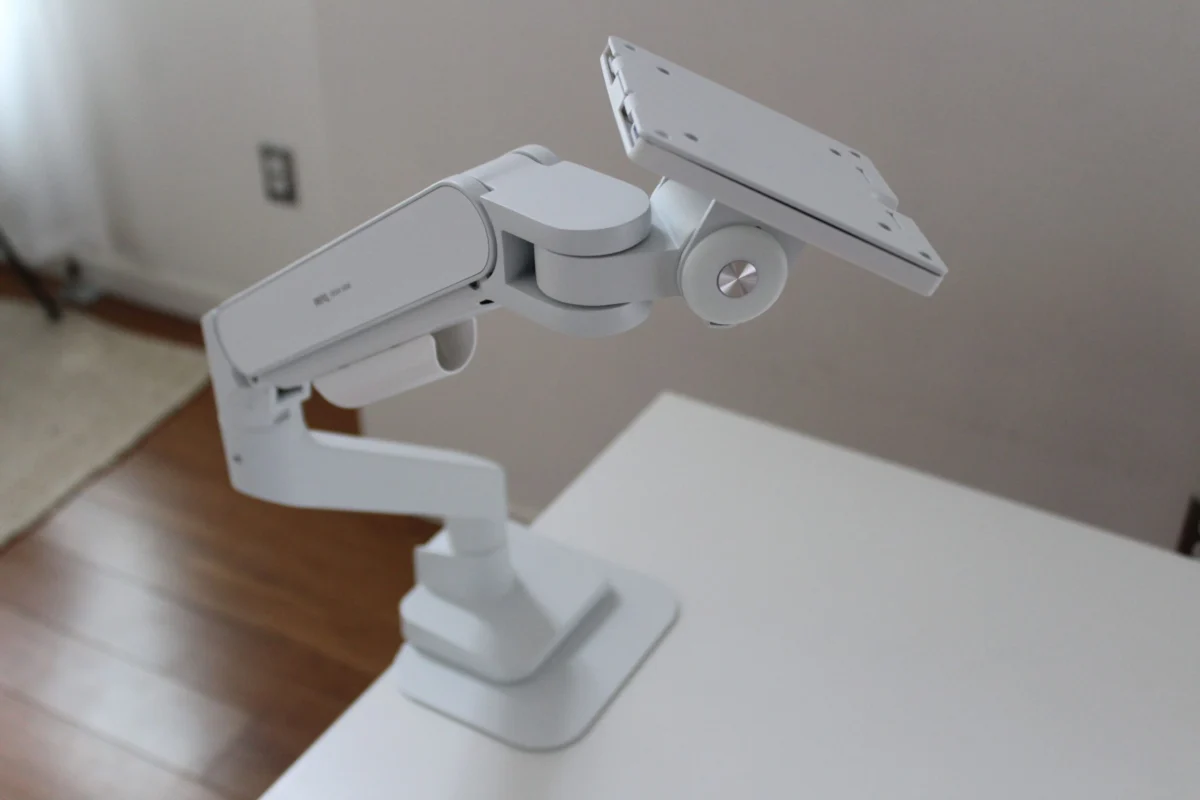
The Branch Monitor Arm, for instance, shares nearly identical structural components with the BenQ Ergo Arm. While the Branch model is slightly more affordable, it lacks certain accessories, such as reinforcement plates designed to protect desk surfaces from clamping pressure. This "white labeling" phenomenon means consumers must look beyond brand names to evaluate the specific inclusion of hardware, such as grommet mounts or stabilization plates, which vary between packages.
The Monoprice Workstream Single Monitor Arm ($83) stands out in this segment for its physical versatility. It features a clamp designed for desktops up to 5 inches thick—a rarity in a market where most clamps cap out at 3 inches. This makes it an essential recommendation for users with custom-built or heavy-duty industrial desks.

Budget Constraints and the Risks of Low-Tier Hardware
The "budget" end of the spectrum, dominated by AmazonBasics and various third-party sellers, presents significant risks to both the hardware and the user’s safety. The AmazonBasics Adjustable Desk Mount Arm, priced at $29, utilizes an older "pole" design. Unlike fully articulated arms, pole designs require manual loosening of bolts to adjust height, making frequent ergonomic changes inconvenient.
Furthermore, quality control issues have been noted in budget tiers. Reports of "beat up" or "busted" units upon arrival suggest that the manufacturing and shipping standards for $30 mounts are significantly lower than their $80+ counterparts. Stability is also a concern; testing indicated that these lower-end models are prone to shaking, which can lead to eye fatigue and potential damage to the monitor’s internal components over time.
The Pout Eyes 12 Monitor Arm ($55) previously offered a middle ground with a "spring-assisted" mechanical system. While less fluid than gas-spring models, its dual-tone aesthetic provided a design alternative to the standard industrial look. However, shifts in the supply chain have moved this product primarily into the business-to-business (B2B) sector, highlighting the volatility of the consumer-facing budget market.
Technical Deep Dive: Gas-Spring vs. Mechanical Counterbalance
A critical technical distinction for buyers is the mechanism of movement.
- Gas-Spring Arms: These utilize a cylinder filled with nitrogen gas to create tension. They offer the smoothest movement, allowing the user to reposition the monitor with a single finger. They are ideal for workstations where the user alternates between sitting and standing.
- Mechanical Spring Arms: These use traditional coiled steel springs. They are generally more durable and less expensive but feel stiffer and may require more effort to adjust. They are best suited for "set it and forget it" configurations.
Supporting Data and Installation Requirements
Before purchasing a mounting solution, users must verify several technical specifications to avoid equipment failure:

- VESA Compatibility: The vast majority of modern monitors use a 100 x 100 mm pattern. However, budget monitors under $200 frequently lack these holes entirely, requiring a third-party VESA adapter which can compromise stability.
- Weight Buffer: For curved monitors, experts recommend a 5-pound "buffer." The curvature shifts the center of mass forward, exerting more torque on the arm’s tilt mechanism than a flat screen of the same weight.
- Desk Material: Clamping a heavy-duty arm onto a glass desk or a hollow-core desk (such as those made of honeycomb paperboard) is highly discouraged. The concentrated pressure can cause the desk surface to shatter or collapse. In these instances, a grommet mount—which involves drilling a hole through the desk—is the only safe alternative.
Broader Impact on Productivity and Industry Trends
The integration of monitor arms is more than a trend; it is a response to the "Prosumer" movement, where home office setups are expected to match or exceed corporate environments. For corporations, providing ergonomic equipment like monitor arms can lead to a measurable reduction in workers’ compensation claims related to neck and back strain.
Looking forward, the market is expected to bifurcate. High-end boutique furniture companies like Herman Miller and Humanscale are expanding their offerings to include "designer" monitor arms that prioritize aesthetics for open-concept offices. Meanwhile, the "murky waters" of the Amazon marketplace continue to provide high-value gems for those willing to navigate the technical specifications and bypass branding hype.
In conclusion, the selection of a monitor arm should be dictated by the weight of the display, the thickness of the desk, and the required frequency of adjustment. While budget options exist, the long-term health benefits of a stable, easily adjustable, and high-quality mounting system represent a vital investment in the modern digital workspace. Professionals are encouraged to prioritize aluminum or steel construction over plastic and to ensure that their chosen arm provides a tension range appropriate for their specific display to prevent "floating" or "sinking" issues.
