

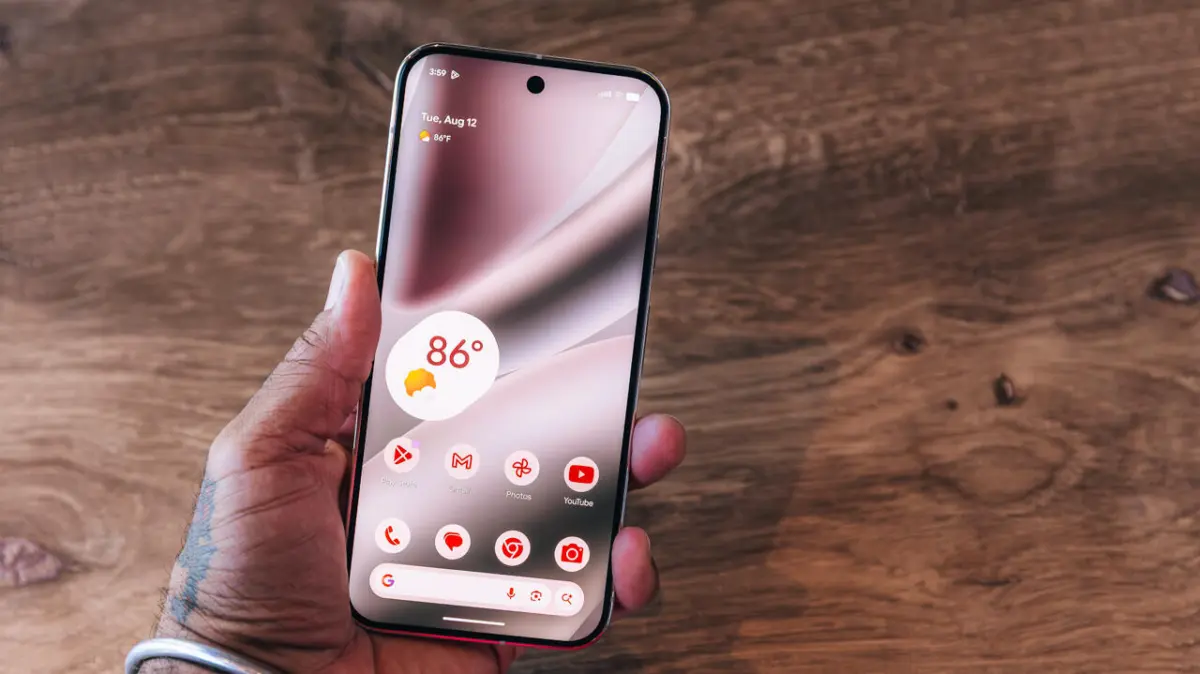
The release of Android 17 marks a significant milestone in the evolution of mobile operating systems, specifically through the introduction of a universal "app bubble" feature. This development expands upon a concept first introduced several years ago, which was initially limited to text conversations. By allowing users to transform almost any application into a floating, persistent icon on the home screen, Google is signaling a shift toward a more flexible, desktop-like multitasking environment for mobile devices. This feature, which debuted as part of the Android 17 rollout and the concurrent June Pixel Drop, aims to streamline workflow and reduce the friction associated with switching between high-priority applications.
The Mechanics of App Bubbling in Android 17
The core functionality of the new bubbling feature allows users to detach an application from the standard full-screen or split-screen view and minimize it into a small, circular floating icon. This icon remains visible on top of other active applications and the system launcher, providing a persistent shortcut to the app’s interface. When tapped, the bubble expands into a floating window, allowing the user to interact with the app’s full features without fully exiting their current task.
In its current iteration on the Google Pixel line, the system supports bubbling up to five different applications simultaneously. These bubbles are docked to either the left or right margin of the screen to prevent them from obstructing central content. While users can drag the stack of bubbles vertically along the edges, the system maintains a cohesive group for these icons; if one bubble is moved, the entire stack follows, ensuring that the user’s workspace remains organized.
To activate this feature on a compatible Pixel device, the process is integrated directly into the system’s long-press gesture. Users navigate to their app drawer or home screen, locate the desired application, and perform a long-press. A context menu appears, offering standard options such as "App info" and "Pause app," alongside the new "Bubble" command. Upon selection, the application immediately transitions into its floating state.

Historical Context: The Evolution of Android Multitasking
The introduction of universal app bubbles is the culmination of a decade-long effort by Google to refine how users interact with multiple streams of information. To understand the significance of this update, it is necessary to look at the chronology of Android’s multitasking capabilities:
- Android 7.0 (Nougat): Google introduced native split-screen support, allowing two apps to run side-by-side. While revolutionary at the time, it was often criticized for its rigid layout and limited compatibility with certain apps.
- Android 8.0 (Oreo): The introduction of Picture-in-Picture (PiP) mode provided a floating window specifically for video content and navigation, allowing users to watch media while performing other tasks.
- Android 11: Google launched the "Bubbles API" for developers. This was strictly intended for "conversations," allowing messaging apps like WhatsApp, Telegram, and Google Messages to float as icons for quick replies.
- Android 12-16: These versions focused on refining the "Freeform windows" found in developer options and improving the taskbar for foldable devices and tablets.
- Android 17: The "Bubble" functionality is finally decoupled from the notification system and conversation API, becoming a top-level system feature available for general applications.
This progression reflects a broader industry trend toward "windowed" mobile interfaces, driven largely by the increasing screen sizes of modern smartphones and the rise of the "Pro" and "Ultra" device categories.
Comparative Analysis: Google’s Bubbles vs. Samsung’s Smart Pop-Up View
While Android 17 brings this feature to the core of the OS, Samsung has long offered a proprietary alternative known as "Smart Pop-Up View" through its One UI skin. This discrepancy highlights the fragmented nature of Android feature parity and the role of manufacturers in driving innovation.
Samsung’s Smart Pop-Up View functions similarly but is rooted in the notification system. When a notification arrives from a selected app, it appears as a floating icon. Users must manually enable "Multi window for all apps" in the Advanced Settings menu to maximize the utility of this feature. In contrast, Google’s implementation in Android 17 is more proactive, allowing users to bubble an app at any time regardless of whether a notification has been received.
Industry analysts suggest that by integrating this into the base Android 17 code, Google is standardizing a feature that was previously a "power user" niche. This standardization ensures that app developers can more easily optimize their interfaces for floating window sizes, leading to a more consistent user experience across different hardware manufacturers as the feature trickles down from Pixel exclusives to the broader Android ecosystem.

Technical Implications and Developer Adaptation
The transition to universal app bubbles presents unique challenges for software developers. Historically, Android applications were designed to run in a limited number of aspect ratios. With the advent of bubbles, apps must now be "resizing-aware."
Under the hood, Android 17 utilizes the ActivityOptions.setLaunchWindowingMode flag to handle these transitions. Developers are encouraged to use responsive layouts—such as ConstraintLayout—to ensure that buttons, text fields, and images remain legible when the app is condensed into a small floating window. Furthermore, the system must manage the "lifecycle" of a bubbled app differently. Since a bubbled app is technically "visible" but may not be the primary focus, the Android system must balance RAM allocation to keep the bubbled app responsive without draining the battery or slowing down the foreground task.
Data from beta testing phases indicated that the most common use cases for bubbled apps include:
- Calculators and Converters: Used while browsing retail websites or managing spreadsheets.
- Music and Podcast Controllers: For apps that do not have robust notification tray controls.
- Social Media Feeds: Monitoring live updates or "X" (formerly Twitter) threads while engaging in other activities.
- Authentication Apps: Keeping 2FA (Two-Factor Authentication) codes accessible while logging into secure portals.
Official Responses and Industry Impact
While Google has focused its marketing on the convenience of the Pixel experience, the broader developer community has expressed a mix of optimism and caution. In various developer forums, the consensus is that universal bubbles will significantly improve the utility of large-screen devices, such as the Pixel Fold and the Pixel Tablet.
"The move to universal bubbles is a clear acknowledgement that the line between mobile and desktop productivity is blurring," noted one software architect during the Android 17 Developer Preview. "However, it puts the onus on us to ensure our apps don’t break when forced into a 300×400 pixel window."

From a market perspective, this update strengthens Google’s position against Apple’s iPadOS and iOS. While Apple has introduced "Stage Manager" for iPads, the iPhone remains relatively restricted in its multitasking capabilities, limited primarily to Picture-in-Picture for video. By offering universal app bubbling on standard smartphones, Google provides a tangible productivity advantage for users who prioritize utility and customization.
Broader Implications for the Future of Mobile UI
The introduction of app bubbles in Android 17 is likely a precursor to even more advanced windowing management. As mobile processors become increasingly powerful—comparable to entry-level laptop CPUs—the necessity for a static, one-app-at-a-time interface diminishes.
We are seeing a move toward "spatial computing" and "contextual interfaces." In the future, it is expected that Android may use AI to suggest which apps should be bubbled based on the user’s current activity. For instance, if a user opens a flight booking confirmation, the system might automatically offer to bubble a calendar app or a currency converter.
Furthermore, the "five-app limit" currently observed in the Pixel rollout is expected to expand as hardware reaches higher thresholds of RAM efficiency. For now, the limitation serves as a safeguard to ensure system stability and to prevent screen clutter, which can lead to "cognitive overhead" for the user.
In conclusion, Android 17’s app bubbles represent more than just a UI tweak; they are a fundamental shift in the Android interaction model. By providing a bridge between the traditional full-screen mobile experience and the multi-windowed desktop environment, Google is catering to a modern audience that demands high-velocity information access. As this feature moves beyond the Pixel lineup and becomes a standard across other manufacturers like OnePlus, Xiaomi, and Motorola, it will likely redefine the baseline expectations for mobile multitasking in the years to come.
