

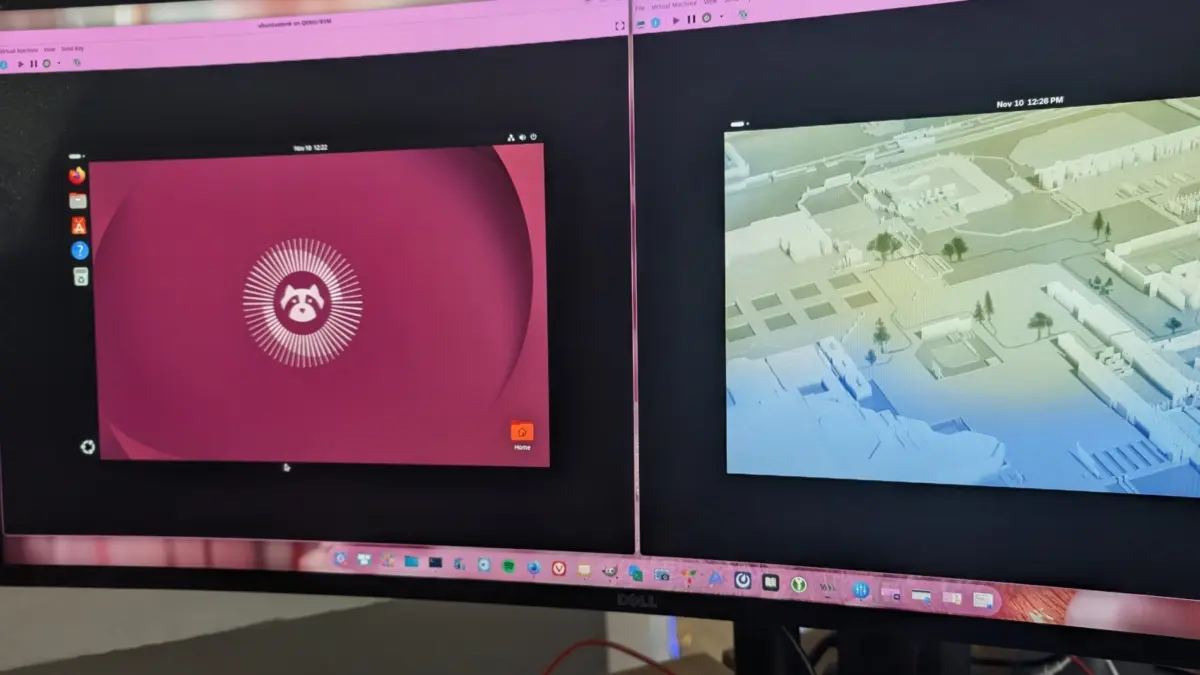
The landscape of Linux distributions has long been defined by the concept of "distro hopping," a practice where users migrate from one operating system to another in search of better performance, updated software, or a more intuitive user interface. For many users who began their journey with Ubuntu, the prospect of moving to Fedora represents a significant transition from the Debian-based ecosystem to the RPM-based ecosystem sponsored by Red Hat. While the transition may initially appear daunting due to differences in package management and system philosophy, a technical analysis reveals that Fedora offers a "fresher" and often faster experience that aligns with the needs of modern developers and power users.
The Evolution of the Desktop Linux Giants
To understand the current state of Ubuntu and Fedora, one must look at their historical trajectories. Ubuntu, launched by Canonical in 2004, was designed to bring Linux to the masses with the slogan "Linux for Human Beings." It focused on ease of use, hardware compatibility, and a predictable release cycle. Over two decades, Ubuntu has become the de facto standard for cloud computing and beginner-friendly desktops.
Fedora, conversely, emerged in 2003 as the community-driven successor to the original Red Hat Linux. It serves as the upstream source for Red Hat Enterprise Linux (RHEL), meaning it acts as a proving ground for new technologies. Because of this relationship, Fedora is often the first major distribution to adopt cutting-edge features, such as the Wayland display protocol, PipeWire for audio, and the latest versions of the GNOME desktop environment.
While both distributions have matured into stable, secure, and user-friendly platforms, they cater to slightly different philosophies. Ubuntu prioritizes long-term stability and a curated experience, whereas Fedora prioritizes innovation and staying "close to upstream," ensuring that users have the latest software developments as soon as they are deemed stable.
Performance Metrics: A Comparative Analysis of Speed
Performance is frequently cited as the primary motivator for users switching from Ubuntu to Fedora. Benchmarks and real-world testing indicate that Fedora often feels more responsive than its Debian-based counterpart. This perceived speed is not merely psychological; it is rooted in how the two systems handle system resources and application packaging.
In terms of boot times, the two distributions are remarkably competitive. Recent testing shows that a standard Fedora installation can reach the login screen in approximately 13.69 seconds, while Ubuntu follows closely at 14.31 seconds. However, these figures can fluctuate based on update cycles. Fedora’s update model frequently requires reboots for system-level patches, which can extend the total time spent in maintenance mode. Ubuntu, by contrast, only mandates reboots for kernel upgrades, often utilizing its Livepatch service to apply security updates without interrupting the session.
The most noticeable performance gap appears in application startup times, particularly regarding "universal" package formats. Fedora utilizes Flatpak as its primary containerized format, while Ubuntu is "all-in" on its proprietary Snap technology. Testing with resource-intensive applications like GIMP reveals that Flatpak versions on Fedora consistently outperform Snap versions on Ubuntu. For instance, GIMP has been recorded launching in 3.48 seconds on Fedora via Flatpak, compared to 4.34 seconds on Ubuntu via Snap. These small differences in latency accumulate over a workday, contributing to the perception of Fedora as a "lighter" system.
Package Management: DNF5 vs. APT
The core of any Linux distribution is its package manager. Ubuntu uses the Advanced Package Tool (APT), a venerable system known for its reliability and massive software repositories. Fedora uses DNF (Dandified YUM), with the recent transition to DNF5 marking a significant leap in efficiency.
Data comparing the two systems shows that Ubuntu’s APT still holds a slight edge in raw installation speed for native packages. In a timed test installing the audio editor Audacity, Ubuntu completed the task in 14.61 seconds, while Fedora’s DNF5 took 15.34 seconds. Despite this, Fedora users often prefer DNF for its sophisticated dependency resolution and more informative command-line output.
Furthermore, Fedora’s "fresher" approach means that the software available in its repositories is typically several versions ahead of what is found in Ubuntu’s non-LTS (Long Term Support) releases. For developers who require the latest compilers, libraries, and kernel features, Fedora eliminates the need to add third-party Personal Package Archives (PPAs), which can sometimes compromise system stability on Ubuntu.
The Great Desktop Debate: Stock GNOME vs. Customized Unity Heritage
While both flagship versions of Ubuntu and Fedora utilize the GNOME desktop environment, they offer vastly different visual and functional experiences. Fedora is famous for providing a "vanilla" or "stock" GNOME experience. This means users interact with the desktop exactly as the GNOME designers intended: a clean, distraction-free interface that relies on a full-screen "Activities" overview.

Ubuntu, however, applies heavy customization to GNOME to maintain a sense of brand identity. It includes a persistent left-hand dock and a system tray that mimics the old Unity interface Canonical developed in the early 2010s. For users migrating from Ubuntu to Fedora, the lack of a visible dock can be jarring. However, the Linux community has noted that Fedora’s adherence to stock GNOME often results in a smoother UI experience with fewer bugs, as there are fewer third-party extensions running by default to modify the shell’s behavior.
For those who prefer the Ubuntu aesthetic but want the Fedora performance, the GNOME extension ecosystem allows for easy modification. Tools like "Dash to Panel" or "Unite-Shell" can transform Fedora’s desktop into a layout that closely mirrors Ubuntu, providing the "best of both worlds."
Universal Packaging: The Snap vs. Flatpak Contention
The most significant technical and philosophical divide between Ubuntu and Fedora lies in their choice of universal package formats. This conflict has significant implications for the future of the Linux desktop.
- Origin and Governance: Snap was developed by Canonical and is controlled by a single entity. The server-side code for the Snap Store is proprietary. Flatpak was developed as a community project with heavy involvement from Red Hat and is entirely open-source.
- Sandboxing and Security: Flatpak enforces mandatory sandboxing, ensuring that applications are isolated from the rest of the system unless granted specific permissions. Snap offers sandboxing but makes it optional for certain "classic" packages, which some security experts argue creates inconsistencies.
- Community Adoption: The broader Linux community has largely rallied behind Flatpak. Major distributions like Linux Mint, Pop!_OS, and Fedora have integrated Flatpak as their primary third-party software source. Ubuntu remains the only major distribution to prioritize Snaps, leading to concerns about ecosystem fragmentation.
From a user perspective, Flatpaks generally integrate better with system themes and offer faster execution times. Snaps have been criticized for slow "cold starts" and for creating "loop devices" that clutter the system’s disk management views.
Security Implementation: SELinux vs. AppArmor
Under the hood, Fedora and Ubuntu utilize different Mandatory Access Control (MAC) systems to secure the OS. Fedora utilizes SELinux (Security-Enhanced Linux), originally developed by the NSA and Red Hat. SELinux is often considered more robust and granular, but it has a reputation for being complex to configure.
Ubuntu uses AppArmor, which is generally considered easier for users to manage and create profiles for. While both systems effectively protect the OS from malicious software and unauthorized access, Fedora’s default inclusion of SELinux reflects its enterprise-grade DNA, offering a level of security that meets the stringent requirements of government and corporate environments.
Implications for the Linux Ecosystem
The migration of users from Ubuntu to Fedora signals a shift in the priorities of the Linux community. While Ubuntu remains the dominant force in the server market and among first-time Linux users, Fedora is increasingly seen as the premier choice for workstations.
Industry analysts suggest that Fedora’s rapid adoption of new technologies pushes the entire Linux ecosystem forward. By being the "first" to implement features like Wayland and PipeWire, Fedora identifies and helps resolve bugs that would otherwise affect other distributions months or years later. For the user, switching to Fedora means participating in the cutting edge of open-source development without sacrificing the stability required for daily productivity.
Furthermore, the competition between the two distributions ensures that neither Canonical nor Red Hat can become complacent. As Fedora improves its user-friendliness and Ubuntu attempts to optimize its Snap technology, the end-user benefits from faster, more secure, and more capable operating systems.
Conclusion: A Lateral Move with Vertical Benefits
Ultimately, moving from Ubuntu to Fedora is a lateral move in terms of basic functionality—both are highly capable Linux distributions—but it offers "vertical" benefits in terms of performance and software currency. Fedora provides a faster interface, a more transparent packaging philosophy through Flatpak, and a desktop experience that remains true to the original vision of the GNOME project.
For the modern user, the choice often comes down to a balance between the "just works" stability of Ubuntu’s long-term support and the "just released" innovation of Fedora. As hardware continues to evolve and the demand for performance grows, Fedora’s lean and modern approach makes it an increasingly attractive destination for those looking to leave the familiar shores of Ubuntu behind.
