

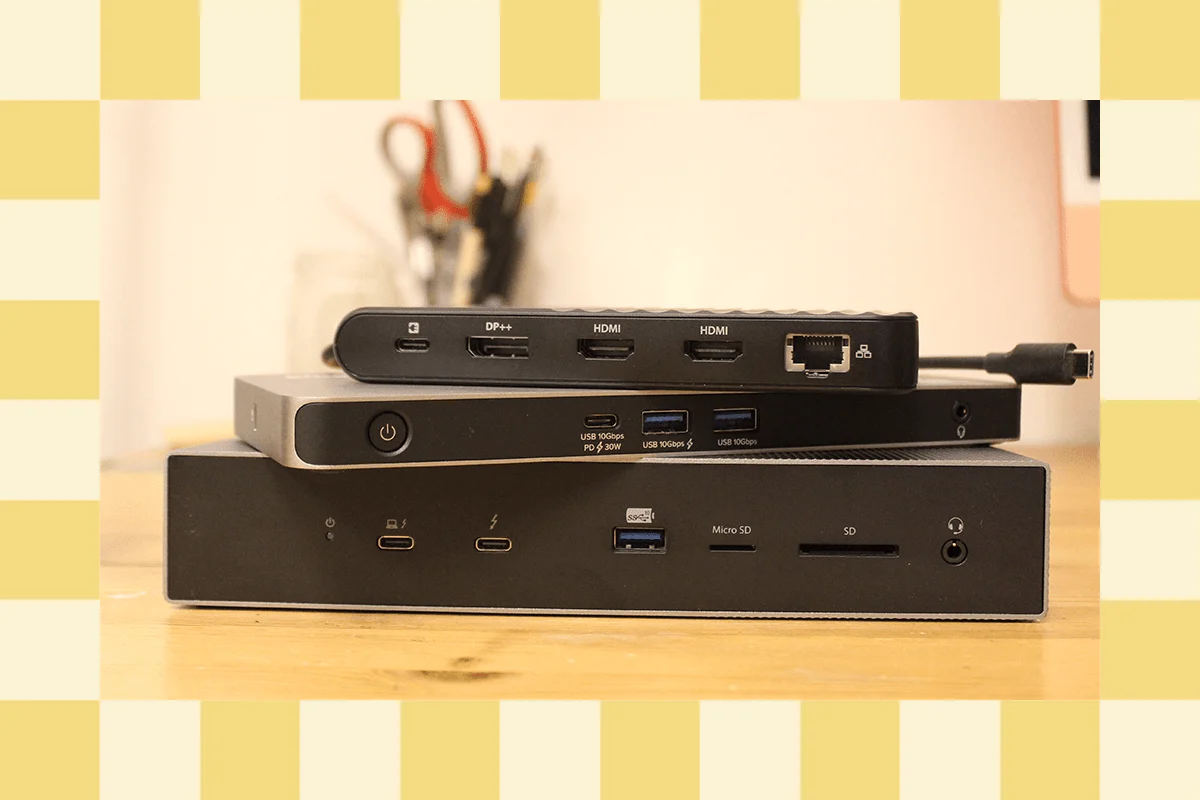
As the global workforce continues to embrace hybrid and remote work models, the role of the laptop docking station has transitioned from a niche corporate accessory to a fundamental component of the modern home office. The contemporary computing landscape, characterized by increasingly slim laptop designs and the subsequent reduction of physical ports, has necessitated a secondary market for robust connectivity solutions. Professional testing of these devices reveals a market divided into distinct tiers: high-performance Thunderbolt 4 and 5 hubs, budget-friendly USB-C alternatives, and specialized hardware designed for multi-monitor workstations.
The Current Landscape of Docking Solutions
The modern docking station market is currently defined by the transition between Thunderbolt 4 and the emerging Thunderbolt 5 standard. For many users, the choice of a docking station is dictated by specific hardware requirements—such as the number of external displays supported—and the power delivery needs of their specific laptop model.
Among the high-end entries, the Ivanky FusionDock Max 1 represents a significant investment for power users, specifically those within the macOS ecosystem. Priced at approximately $330, the FusionDock Max 1 is engineered for MacBook Pro users, utilizing four USB-C Thunderbolt 4 ports to support up to four 6K displays simultaneously. This level of output is tailored for high-end media production environments where screen real estate and data transfer speeds of up to 40 Gbps are paramount.

In contrast, the Ugreen Revodok Max 213, retailing for $300, addresses a different niche: the ultra-high-resolution market. It is one of the few consumer-grade docks featuring a DisplayPort 1.4 port capable of driving an 8K display at 30 Hz. It also includes rare downstream Thunderbolt 4 ports, facilitating the connection of multiple high-speed peripherals in a daisy-chain configuration.
Specialized Designs and Ergonomic Innovations
Beyond raw port counts, manufacturers are increasingly focusing on the physical form factor and integrated utility of docking stations. Satechi has emerged as a leader in this segment with several distinct offerings. The Satechi Dual Docking Station and Stand, priced at $170, departs from the traditional "black box" design. It serves as an ergonomic stand that elevates the laptop while providing a built-in NVMe solid-state drive (SSD) slot. This allows users to add high-speed internal storage to their setup, effectively offloading large files from the laptop’s primary drive.
For those prioritizing desk aesthetics, the Satechi Thunderbolt 4 Slim Pro Hub ($200) offers a minimalist aluminum chassis with three rear-facing Thunderbolt 4 ports. This design is intended for users who require high-speed data storage and dual-monitor support without the clutter of excessive legacy ports. Conversely, the Satechi Triple 4K Docking Station ($300) focuses on display versatility, offering a mix of HDMI and DisplayPort outputs to support three 4K monitors at 60 Hz, catering to complex data-driven workflows.
Budget-Friendly and Mobile Alternatives
The consumer market also demands more accessible entry points. The Baseus Spacemate Air 12-in-1, priced at $200, serves as a budget-conscious alternative to more expensive enterprise docks. While it lacks high-speed card slots and features some slower USB-A ports, it successfully delivers dual 4K display support over a single USB-C cable, making it an attractive option for older MacBook Air users.

Furthermore, the Kensington Triple Video Mobile Dock ($90) challenges the notion that docking stations must be stationary. Despite its small footprint, it provides 85 watts of pass-through charging and can power three 1080p displays or two 4K displays for Windows users. However, limitations in the macOS architecture mean that MacBook users are restricted to a single 4K monitor through this specific device, highlighting the ongoing compatibility gap between different operating systems.
A Chronology of Connectivity Standards
The development of the docking station is inextricably linked to the evolution of the Universal Serial Bus (USB) and Thunderbolt standards. Understanding this timeline is essential for consumers navigating the current market.
- The USB 2.0 and 3.0 Era (2000–2010): Early docking solutions often relied on proprietary "snap-in" connectors specific to certain laptop brands (e.g., Dell’s E-Port or Lenovo’s ThinkPad docks). USB 3.0 introduced 5 Gbps speeds, allowing for the first generation of universal USB docks.
- The Thunderbolt 3 Revolution (2015): Intel’s introduction of Thunderbolt 3 over the USB-C connector changed the industry. It offered 40 Gbps bandwidth and integrated power, data, and video into a single cable.
- Thunderbolt 4 and USB4 Integration (2020): These standards unified the connectivity experience, ensuring that docks could support dual 4K monitors and consistent minimum data speeds.
- The Arrival of Thunderbolt 5 (2024): This latest standard represents a massive leap in bandwidth, offering up to 120 Gbps for video-intensive tasks and supporting up to 240 watts of power delivery.
The Sonnet Echo 13 Thunderbolt 5 Dock ($460) is one of the first devices to utilize this new standard. It features an integrated M.2 storage slot and supports extreme display configurations, such as three 4K displays at 144 Hz. However, industry analysts note that the adoption of Thunderbolt 5 has been tempered by a lack of compatible laptop hardware and high price points.
Technical Analysis of Performance Data
To differentiate between "fine" devices and "best-in-class" hardware, one must look at the underlying data transfer protocols. The confusion surrounding USB terminology—where USB 3.0, 3.1, and 3.2 often overlap in speed—has led many manufacturers to label ports by their actual throughput (e.g., 5 Gbps, 10 Gbps, or 40 Gbps).

Power Delivery (PD) and Pass-Through Charging:
Most modern docks provide between 60W and 100W of power. This is sufficient for standard productivity laptops but may fall short for high-performance gaming rigs or 16-inch workstations. Thunderbolt 5’s capacity for 240W is expected to solve this bottleneck, allowing even the most power-hungry laptops to charge via a single cable.
The Role of DisplayLink:
For users with entry-level Macs that natively support only one external display, "DisplayLink" technology provides a crucial workaround. By using a "virtual GPU" software-based approach, docks can bypass hardware limitations to drive multiple monitors. However, data indicates that this can lead to increased latency and system resource consumption, making it less ideal for video editing or gaming compared to native Thunderbolt connections.
Industry Responses and Market Trends
Industry experts suggest that the "one-cable setup" is no longer a luxury but a standard expectation. Manufacturers like Belkin and Kensington have responded by focusing on "forward-compatible" hardware. For instance, the Belkin Connect Pro Thunderbolt 4 Dock ($300) emphasizes 90 watts of power delivery, acknowledging the trend toward more power-intensive mobile processors.
However, some criticism remains regarding build quality in the premium segment. Reviews of the Sonnet Echo 13, for example, have noted that a plastic chassis on a $460 device can be disappointing to consumers accustomed to the premium aluminum finishes of Apple or Satechi products. Furthermore, the "integrated cable" design found in many budget docks, like the Baseus Spacemate, is frequently cited as a point of failure; if the cable breaks, the entire unit becomes e-waste.

Broader Impact and Implications for the Future
The proliferation of advanced docking stations has significant implications for urban planning and corporate real estate. The ability to create a "hot-desk" environment—where any employee can plug a single cable into a workstation and have immediate access to monitors, gigabit Ethernet, and peripherals—has allowed companies to reduce their physical office footprints.
From a sustainability perspective, the industry is at a crossroads. As standards like Thunderbolt 5 emerge, there is a risk of increased electronic waste as older Thunderbolt 3 or USB-C hubs become obsolete. However, the backward compatibility of Thunderbolt 5 offers some mitigation, allowing users to continue using older peripherals even as they upgrade their central hub.
As we move toward 2025, the market is expected to see a surge in Thunderbolt 5 accessories, including external SSDs and ultra-high-refresh-rate monitors. For now, the docking station remains the unsung hero of the productivity suite—a complex piece of engineering that bridges the gap between the portability of the modern laptop and the power of a desktop workstation. Whether a user chooses a minimalist hub or a $400 powerhouse, the goal remains the same: seamless, high-speed integration of all digital tools through a single, elegant connection.
