

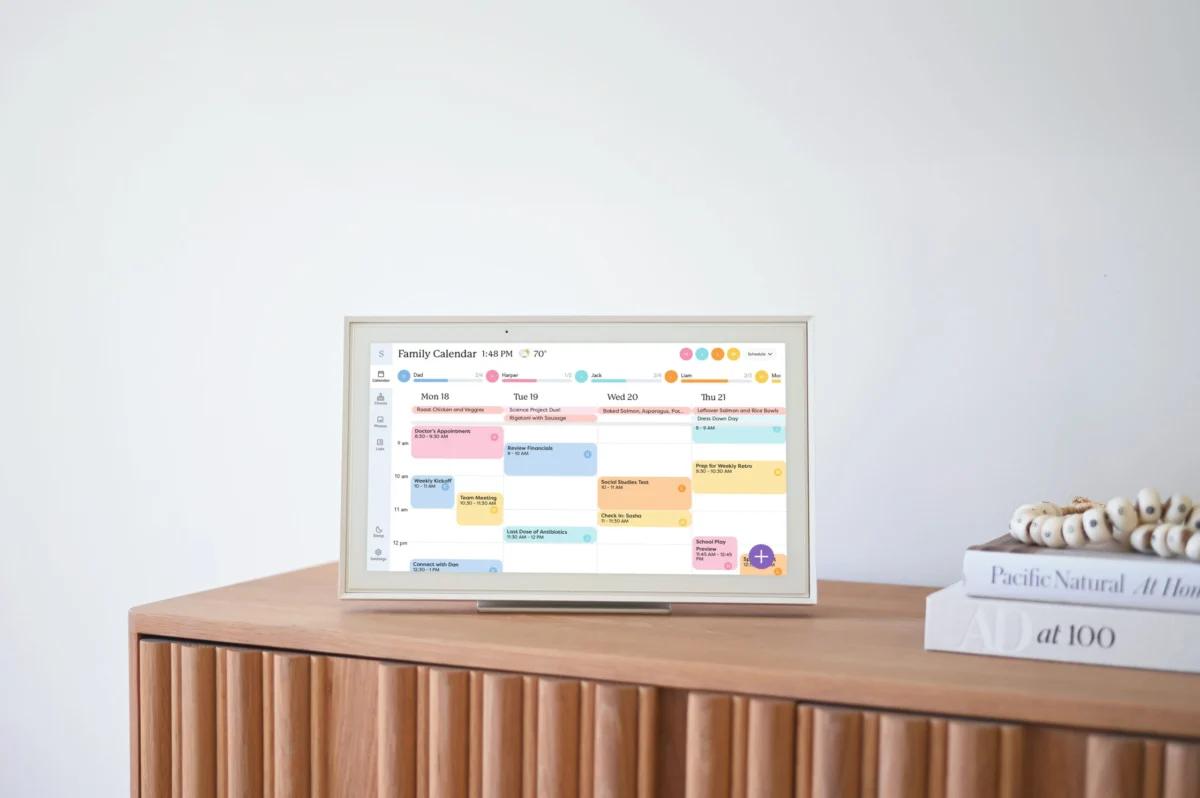
The landscape of domestic management is undergoing a significant digital transformation as families seek to mitigate the "mental load" associated with coordinating complex modern schedules. In an era where households often juggle multiple school calendars, extracurricular activities, and fluctuating professional commitments, the emergence of dedicated hardware solutions like the Skylight Calendar represents a shift from general-purpose tablets to specialized family command centers. These devices aim to centralize disparate data streams—ranging from Google and Apple calendars to grocery lists and chore charts—into a single, high-visibility touchpoint designed to foster collective responsibility and transparency within the home.
The Crisis of the Modern Domestic Schedule
The contemporary family unit faces an unprecedented volume of logistical data. Research into the "mental load"—the invisible labor of planning, organizing, and delegating household tasks—suggests that the cognitive burden on parents, particularly mothers, has increased as digital communication has accelerated the pace of scheduling changes. Traditional methods, such as paper calendars or shared mobile apps, often fail to bridge the gap between individual awareness and collective action. While a shared Google Calendar provides a foundation, it frequently lacks the persistent presence required to keep all family members informed in real-time without the constant checking of personal mobile devices.
Market analysis indicates a growing demand for "ambient computing" in the home—technology that exists in the background and provides information at a glance. The Skylight Calendar enters this market not merely as a screen, but as a dedicated piece of infrastructure intended to reside in high-traffic areas like kitchens or mudrooms. By providing a 15-inch, 10-inch, or 27-inch persistent display, these devices attempt to solve the "out of sight, out of mind" problem inherent in mobile-only scheduling.
Technical Infrastructure and Integration Capabilities
The Skylight Calendar serves as a hardware-software hybrid that aggregates data from the primary digital ecosystems: Google, Apple (iCloud), Microsoft (Outlook/Hotmail), and Yahoo. This interoperability is crucial for families where members may operate on different operating systems or professional platforms. Upon setup, the device utilizes a synchronization engine that pulls existing events into a unified interface, which can then be color-coded by individual family members.
The hardware is designed for high-use environments, featuring a touchscreen interface that allows for immediate interaction. The 15-inch model, often considered the standard for kitchen counters, includes a built-in stand and wall-mounting options. However, a notable technical limitation in the current hardware generation is the lack of an internal battery. The requirement for a constant power connection limits the device’s portability, forcing users to interact with it at a fixed station or rely on the accompanying mobile application for on-the-go updates.
Chronology of Implementation: From Unboxing to Integration
The integration of a digital command center into a household typically follows a distinct chronological progression:
- Hardware Deployment: The physical device is placed in a central location. Connectivity is established via Wi-Fi, and the primary administrator initializes the account.
- Data Synchronization: Existing digital calendars are imported. This phase often reveals the "scheduling clutter" of a family, as overlapping appointments from different sources are consolidated for the first time.
- Categorization and Personalization: Users assign specific colors to family members. This visual shorthand is designed to help children and teenagers quickly identify their own commitments without reading through the entire family’s agenda.
- Task and Utility Setup: Secondary features, such as chore charts and grocery lists, are activated. This transition moves the device from a passive display to an active management tool.
- Mobile Synchronization: Family members install the corresponding app on their personal smartphones, creating a feedback loop where changes made in the grocery store or at school reflect instantly on the home display.
The Role of Artificial Intelligence in Domestic Logistics
A significant development in the evolution of these devices is the integration of Artificial Intelligence (AI) to handle manual data entry. Skylight’s "Sidekick" assistant, part of a premium subscription model ($79 annually or $8 monthly), utilizes Optical Character Recognition (OCR) and natural language processing to convert physical or digital documents into calendar events.
For example, a parent can take a photograph of a printed school lunch menu or a sports practice schedule. The AI identifies dates, times, and event titles, automatically populating the calendar. While current iterations of this technology may require minor manual corrections, they represent a significant reduction in the time required for data entry—a task that has historically contributed to parental burnout. Furthermore, these AI assistants can scan printed recipes, adding them to a digital database and automatically generating grocery lists based on the ingredients required.
Sociological Impact on Child Development and Responsibility
One of the most profound implications of high-visibility digital calendars is the shift in family dynamics regarding autonomy. Educators and child psychologists have long noted that visual schedules help children develop executive functioning skills. When a 12-year-old or 15-year-old can view the entire family’s schedule, the responsibility for time management shifts from the parent to the child.
Instead of asking a parent for permission based on an unknown schedule, children are empowered to check the "source of truth" themselves. This transparency fosters a sense of agency and reduces the number of "logistical negotiations" that occur daily. The inclusion of color-coded chore lists also digitizes the traditional "sticker chart," providing a gamified or structured approach to household contributions that aligns with the digital habits of "touchscreen native" generations.
Comparative Analysis: Hardware vs. Software-Only Solutions
While the Skylight Calendar offers a dedicated hardware solution, it competes with several software-only platforms that provide similar organizational benefits at a lower entry cost.
- Jam Family Calendar: Focuses on an intuitive, mobile-first experience with color-coded scheduling and shared lists. It is often favored by families who prefer not to have an additional screen in the home but want a more specialized interface than standard Google Calendars.
- FamilyWall: Offers a more comprehensive suite of tools, including family budgeting, contact books, secure document storage, and real-time location sharing. It functions more as a private social network for the family than a simple scheduling tool.
- The "DIY" Tablet Approach: Some tech-savvy families opt to mount standard iPads or Android tablets to the wall, using "dashboard" apps like Dakboard to display calendars. While more customizable, this approach often lacks the seamless, purpose-built integration of a dedicated device like Skylight.
The primary advantage of the hardware-specific model remains its "always-on" nature. A dedicated screen serves as a constant visual reminder, whereas a phone app requires the user to proactively open it—a barrier that often leads to missed appointments or forgotten tasks.
Privacy Considerations and the "Public" Nature of the Home
The transition to a shared digital display introduces new privacy challenges within the household. When a personal Google Calendar is synced to a kitchen-wide display, private notes or sensitive appointments (such as doctor visits or gift-shopping reminders) become visible to all residents and guests.
This necessitates a change in how users manage their digital footprints. Users must often create specific "shared" calendars while keeping a "private" calendar for sensitive information, or otherwise adapt their note-taking habits to ensure that the "command center" remains a tool for coordination rather than an accidental broadcast of private thoughts.
Economic and Functional Implications
The move toward subscription-based features in household hardware reflects a broader trend in the tech industry. By placing meal planning and AI assistance behind a paywall, companies ensure a recurring revenue stream but also create a tiered experience for families. Critics argue that essential organizational tools should be included in the high upfront cost of the hardware, while proponents suggest that the ongoing development of AI features justifies the subscription model.
Furthermore, the functionality of these devices is currently limited by the physical environment. The lack of battery power and the reliance on specific ingredients in AI-generated grocery lists (which may add redundant items like salt or water) indicate that while the technology is advanced, it is still in an iterative phase.
Future Outlook: The Smart Home Ecosystem
As the smart home market matures, dedicated calendars are likely to become more integrated with other domestic systems. Future iterations may see these devices communicating directly with smart refrigerators to inventory groceries or with home security systems to track when family members arrive home from scheduled activities.
The success of the Skylight Calendar and its competitors highlights a fundamental truth about modern life: as schedules become more fragmented, the need for a "single source of truth" becomes more acute. By moving the family calendar from a pocket-sized screen to a communal space, these devices are not just organizing time; they are attempting to return a sense of collective order to the chaotic rhythm of the 21st-century household. While they cannot yet perform physical labor like laundry, their ability to reduce the cognitive load of management represents a significant step forward in the application of technology to the domestic sphere.
