

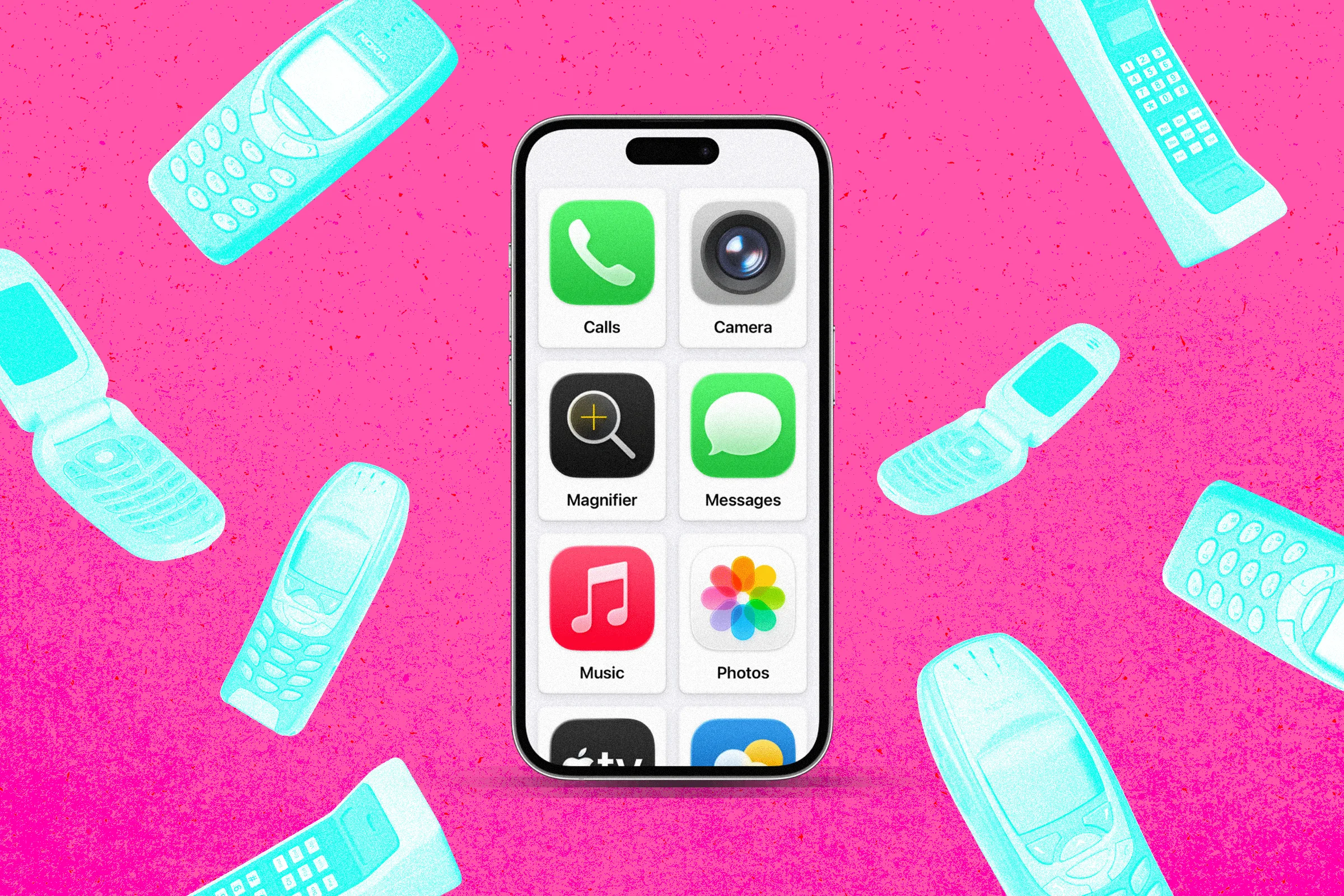
The challenge of introducing a first mobile device to a child has long presented a binary choice for parents: provide a traditional "dumb phone" that lacks essential safety features like GPS and navigation, or hand over a modern smartphone that opens a portal to the unrestricted internet and social media. However, a little-known feature buried within Apple’s iOS Accessibility settings, originally designed for users with cognitive disabilities, is emerging as a powerful middle ground. By utilizing "Assistive Access," parents can effectively transform an existing iPhone into a highly restricted, "dumbed-down" device that retains essential communication and tracking tools while removing the risks associated with web browsing and third-party app stores.
The Parental Dilemma: Safety vs. Connectivity
As children reach the age where they begin navigating the world independently—walking to school or attending extracurricular activities—the need for a communication device becomes a logistical necessity. For many parents, the primary requirements are simple: the ability to make phone calls, send text messages, and provide real-time location tracking via GPS.
While classic handsets, such as the nostalgic Nokia 8210 or contemporary "feature phones," offer the benefit of simplicity, they often fall short in a modern urban environment. These devices typically lack robust mapping software and satnav capabilities, which require an active data connection and sophisticated hardware. Furthermore, for families already integrated into the Apple ecosystem, introducing a non-Apple device complicates location tracking features like "Find My" and parental oversight.
Conversely, providing a child with a standard iPhone, even one with "Screen Time" restrictions enabled, has proven insufficient for many. Parents have documented numerous "workarounds" that children use to bypass Safari blocks. For instance, even if the Safari app is hidden, opening a link sent via a text message or an embedded link within a "safe" app can often trigger a web-view window, granting the child unintended access to the internet.

The Discovery of Assistive Access
Introduced with the launch of iOS 17 in late 2023, Assistive Access was developed by Apple to support individuals with cognitive disabilities. The interface is characterized by its high-contrast, simplified layout, featuring large tiles and a focused set of functionalities. Because the mode is designed to prevent "accidental navigation," it inherently blocks many of the loopholes found in standard iOS parental controls.
The discovery of this feature as a parental tool highlights a significant gap in Apple’s marketing. While the company heavily promotes "Screen Time" and "Family Sharing," Assistive Access remains largely unmentioned in the context of child safety. During a recent field test, an Apple Store support staff member admitted that employees are not specifically trained on using Assistive Access as a surrogate for a "kids’ OS," despite the staffer acknowledging it as a "much better solution" than traditional restrictions.
Technical Implementation and Configuration
To convert an iPhone into a restricted device using this method, the hardware must be running at least iOS 17. This allows parents to repurpose older, "languishing" hardware, such as an iPhone 12 or 13, which provides a cost-effective alternative to purchasing new devices.
The Setup Process
The configuration is found within the Settings menu under Accessibility. At the bottom of the "General" section, users select Assistive Access. The setup wizard allows the administrator to choose between a "rows" or "grid" layout; the grid layout is often preferred for children as it provides large, easily identifiable tiles.
App Selection and Restriction
The defining feature of Assistive Access is the granular control it offers over specific applications. Unlike standard iOS, where apps are present by default, Assistive Access starts with a blank slate. The parent must manually add every permitted application.

Crucially, by omitting Safari or any third-party browsers from the allowed list, the device becomes incapable of web browsing. In this mode, the operating system treats any URL sent via message as plain text. The system’s architecture prevents the opening of web-view windows, effectively closing the primary loophole used by tech-savvy minors.
Communication Controls
When adding the "Calls" or "Messages" apps, the administrator can further restrict connectivity. Options include:
- Everyone: Allowing calls and texts from any number.
- All Contacts: Restricting communication to the user’s saved address book.
- Selected Favorites: Limiting the child to only a few pre-approved contacts, such as parents and emergency services.
Comparative Analysis: Assistive Access vs. Third-Party Solutions
The rise of the "digital detox" movement has birthed a niche industry of "minimalist" launchers and third-party applications. Apps such as "Dumb Phone" for iOS or "Minimalist Phone" for Android attempt to skin the device to reduce screen time. However, these solutions often come with monthly subscription fees or one-time costs.
Journalistic analysis suggests that paying a third party to remove features from a phone is a point of contention for many consumers. Assistive Access provides a native, free alternative that is more deeply integrated into the system’s kernel, making it more stable and harder to bypass than an app-based overlay.
Timeline of Apple’s Parental Control Evolution
The trajectory of Apple’s software suggests a slow realization of the need for more robust "dumb phone" modes:

- 2008: Introduction of "Restrictions" in early iOS versions.
- 2018: Launch of "Screen Time" with iOS 12, introducing app limits and content filtering.
- 2023: Launch of "Assistive Access" in iOS 17, providing the first truly isolated UI.
- 2024 (Expected): Rumors and beta reports regarding iOS 18 suggest that Apple is finally integrating the ability to remove Safari access directly within the standard "Screen Time" profile, a move likely influenced by the grassroots adoption of Assistive Access for children.
Official Responses and Limitations
When queried about the potential for rebranding Assistive Access as a dedicated "Kids Mode," Apple has remained tight-lipped. While the company provided technical support regarding the feature’s functionality, it declined to comment on why the feature is not marketed toward parents or whether a dedicated version for children is in development.
Despite its benefits, Assistive Access is not without its technical drawbacks. Users have reported the following:
- Performance Sluggishness: The interface can feel less responsive than the standard iOS experience, likely due to the additional layer of UI abstraction.
- Software Instability: There have been documented instances of the "Messages" app freezing when a user attempts to navigate large libraries of emojis. Unfreezing the app requires exiting Assistive Access mode using a passcode, which the child cannot do.
- Screen Time Conflicts: Assistive Access operates independently of "Screen Time" limits. If a parent allows an app like "Music" or "Games" within Assistive Access, the standard time-of-day restrictions may not apply.
- Power Management: An iPhone cannot be turned off while in Assistive Access mode; it must be returned to the standard iOS interface to be powered down.
Broader Implications for the Smartphone Industry
The success of Assistive Access as a makeshift parental tool reflects a growing skepticism toward the "attention economy." As research continues to emerge regarding the impact of social media and constant internet access on adolescent brain development, parents are increasingly seeking "low-tech" solutions.
By utilizing a hidden feature to create a "six-app phone" (Calls, Messages, Maps, Camera, Photos, and Music), parents are effectively creating a bespoke device that fits their specific safety criteria. This trend may eventually force major tech manufacturers to offer "Minimalist Modes" as a standard out-of-the-box option, rather than burying them in accessibility menus.
For now, the ability to repurpose an old iPhone 13 or similar device into a secure, trackable, and "dumb" communication tool provides a practical solution for the modern parent. It bridges the gap between the 1999 era of the Nokia 8210 and the hyper-connected, often overwhelming reality of 2024, ensuring that a child’s first step into mobile connectivity is a controlled and safe one.
