

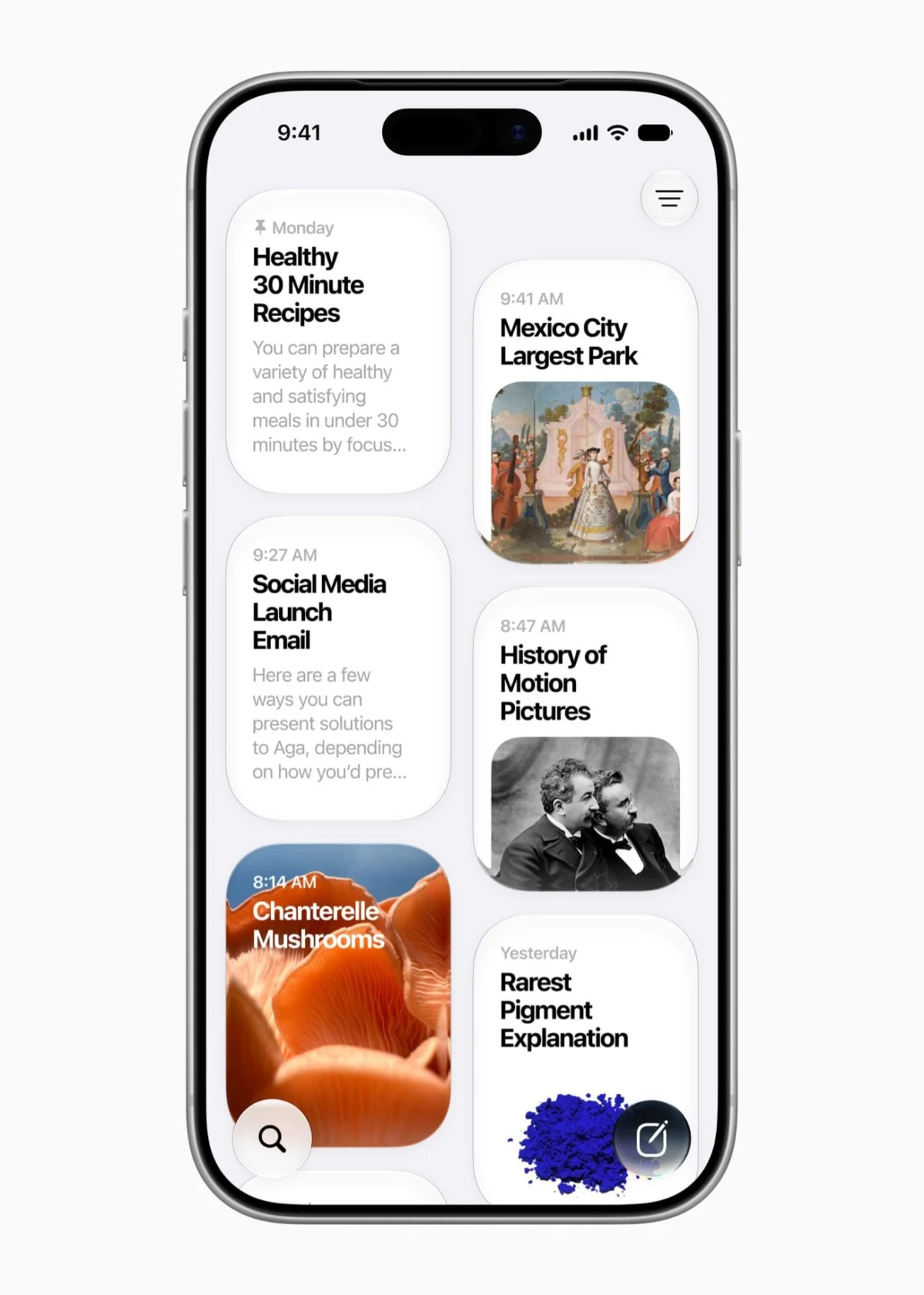
The global technology landscape witnessed a significant shift today as Apple officially commenced the rollout of iOS 27 and iPadOS 27, the latest iterations of the operating systems powering hundreds of millions of iPhones and iPads worldwide. While the previous year’s release, iOS 26, was defined by the controversial and visually striking "Liquid Glass" design language, the 2026 update focuses on internal refinement, system-wide stability, and a transformative integration of generative artificial intelligence. This release marks a pivotal moment in Apple’s software strategy, moving away from radical aesthetic shifts toward a more functional, AI-centric user experience that prioritizes personal context and cross-device fluidity.
Strategic Overview and Primary Enhancements
The core philosophy of iOS 27 is categorized by Apple as "Stability and Intelligence." Following the heavy resource demands of the Liquid Glass redesign, many users reported performance fluctuations on older hardware. In response, Apple engineers have spent the last twelve months optimizing the kernel and CPU scheduling to ensure that the fluid animations of the current UI do not compromise battery life or responsiveness.

The headline feature is undoubtedly the "Siri AI" upgrade. This represents the most significant overhaul of Apple’s virtual assistant since its debut in 2011. By leveraging third-generation foundation models developed in strategic collaboration with Google’s Gemini project, Siri has evolved from a command-based utility into a proactive digital agent. Despite the collaboration with Google, Apple maintains a strict privacy barrier, utilizing its proprietary Private Cloud Compute (PCC) to ensure that personal data processed for AI interactions remains inaccessible to external parties, including Google.
Chronology of Development and Release
The journey toward iOS 27 began in June 2026 at the Worldwide Developers Conference (WWDC), where Apple executives first demonstrated the capabilities of "Personal Intelligence." Following the keynote, a rigorous three-month beta testing period involved millions of developers and public testers.
On September 14, 2026, Apple finalized the build for public consumption. The rollout follows a traditional phased release, beginning in North America and Europe before expanding to Asian and South American markets within 24 hours. This release coincides with the arrival of the latest iPhone hardware, though the software is designed to breathe new life into devices dating back to 2019.

Hardware Compatibility and Installation Requirements
Apple has maintained a reputation for long-term device support, typically providing updates for six to seven years. With iOS 27, the company has largely mirrored the compatibility list of the previous year, though some older iPad models have been phased out due to the high memory requirements of the new AI features.
Supported iPhones:
- iPhone 11, 11 Pro, and 11 Pro Max
- iPhone 12 series
- iPhone 13 series
- iPhone 14 series
- iPhone 15 series (including 15 Pro and Pro Max for full Apple Intelligence features)
- iPhone 16 series
- iPhone SE (2nd Generation and newer)
Supported iPads:
Compatibility for iPads is now determined by chipset rather than generation name. Devices equipped with the A14 Bionic chip or newer are generally supported. However, Apple confirmed that the 8th-generation iPad (2020) and the 5th-generation iPad Mini will not receive the update.
Industry analysts note that while many devices can run iOS 27, the "Apple Intelligence" suite remains restricted to the iPhone 15 Pro and newer models. This hardware-software gap is seen as a strategic move to encourage upgrades among users holding onto older devices, as the sophisticated on-device processing required for generative AI necessitates at least 8GB of RAM and advanced Neural Engine capabilities.

Deep Dive into Siri AI and Personal Context
The revamped Siri features a new visual interface, manifesting as a glowing "glass orb" at the bottom of the screen when activated. Beyond aesthetics, the functional changes are profound. Siri now possesses "On-Screen Awareness," allowing it to understand what a user is looking at in real-time.
A significant addition is the dedicated Siri App, which serves as a centralized hub for AI interactions. Users can maintain persistent threads with the assistant, much like a standard chat interface, and sync these conversations across Mac, iPad, and iPhone.
Furthermore, Siri’s integration with the camera app provides a direct competitor to Google Lens. By pointing the camera at objects, documents, or environments, users can initiate "Visual Search." During the launch demonstration, Apple showed Siri identifying a restaurant bill, calculating a 20% tip, and splitting the total among four people via Apple Pay, all within the camera interface.

System Performance and the CPU Scheduler
To address the "sluggishness" often associated with older devices running modern software, Apple introduced a redesigned CPU Scheduler. This system-level optimization manages how the processor handles tasks, prioritizing immediate user input (like scrolling and app switching) over background processes.
According to technical data released by Apple:
- App Launch Speeds: Increased by up to 30% across all compatible models.
- Photo Library Loading: High-resolution previews now load 70% faster.
- AirDrop Transfers: Protocol optimizations have led to an 80% increase in file transfer speeds.
- Connectivity: A new "Smart Switch" algorithm reduces the latency when transitioning from a home Wi-Fi network to 5G cellular data, a common pain point for commuters.
Creative Tools: AI in Photos and Image Playground
The Photos app has received a suite of "Apple Intelligence" tools designed for non-destructive editing. The "Clean Up" tool, which removes unwanted objects from images, has been upgraded with better edge detection and texture synthesis.

Two new features, "Extend" and "Spatial Reframing," leverage generative models to alter the composition of a photograph after it has been taken. "Extend" uses a diffusion model to generate pixels beyond the original frame, effectively "zooming out" of a shot. "Spatial Reframing" uses AI to change the perceived camera angle, such as making a standing-level photo appear as though it were taken from a lower perspective.
Complementing these tools is the "Image Playground" app. The 2026 version introduces a "Photorealistic" mode, allowing users to generate high-fidelity images from text prompts. To manage server load and prevent misuse, Apple has implemented daily usage limits for these generative features, which can be expanded with higher-tier iCloud+ subscriptions.
Enhanced Child Safety and Parental Oversight
A significant portion of the iOS 27 update is dedicated to digital wellness and child safety. The new "Setup Assistant" for parents simplifies the process of configuring a child’s first device, allowing for the immediate restriction of non-essential apps.

Key safety features include:
- Ask to Browse: A Safari integration where children must request permission to visit new domains, with the request appearing as a notification on the parent’s device.
- Communication Safety: An expanded version of previous nudity filters that now uses on-device AI to blur both incoming and outgoing messages containing violence or sensitive content across FaceTime and third-party messaging apps.
- Time Allowances and Schedules: Parents can now set "App Category" limits, such as allowing only two hours of "Entertainment" apps per day while leaving "Educational" apps unrestricted.
Productivity and Automation: Shortcuts and Safari
The Shortcuts app, long considered a tool for power users due to its complexity, has been reimagined with natural language processing. Users no longer need to manually chain together "If/Then" statements. Instead, they can type a request such as, "When I arrive at the gym, start my workout playlist and turn on Do Not Disturb." The app then automatically generates the necessary workflow.
Safari has also been updated to combat "tab fatigue." The browser now uses AI to categorize open tabs into "Topics," such as Travel, Work, or Shopping. Additionally, the new "Custom Extensions" feature allows users to describe a desired browser function—like a recipe scraper or a price tracker—which the OS then builds using a sandboxed code generator.

Industry Implications and Market Reaction
Market analysts suggest that iOS 27 is a "bridge" update. By integrating Google’s Gemini models while maintaining a proprietary privacy stance, Apple is attempting to close the AI gap with competitors like Samsung and Google without sacrificing its core brand identity of security.
"Apple is playing a delicate game of catch-up," says senior technology analyst Marcus Thorne. "They are providing the generative features that consumers now expect, but they are wrapping them in a ‘Personal Intelligence’ package that feels more integrated and less like a third-party add-on. The focus on performance for older devices is also a clear attempt to maintain high customer satisfaction scores in a maturing smartphone market."
The introduction of usage limits for AI features also signals a shift in Apple’s revenue model, potentially moving toward "AI-as-a-Service" integrated within the iCloud ecosystem. As the rollout continues, the tech community remains focused on how these AI features will impact daily battery life and whether the promised stability improvements will hold up under real-world usage across the diverse range of compatible hardware.

iOS 27 and iPadOS 27 are available now as a free over-the-air update. Users are advised to perform a full iCloud backup before initiating the installation, which typically requires 5GB to 7GB of free storage space. Following installation, the system will undergo a "Discovery Phase" where it indexes data to personalize the Siri AI experience, a process that may temporarily impact battery performance for the first 24 to 48 hours.
